Camera permissions and browser troubleshooting
Find the failing step, restore camera or microphone access and protect pending session records.
Key takeaways
- Identify whether the problem is permission, device selection, registration or sync.
- Check browser and operating-system permissions before changing calibration.
- Preserve browser storage and export pending records before attempting a reset.
Start by identifying the first step that fails. Can you sign in? Does the camera preview appear? Is the expected sound visible on the microphone level? Do shots register but remain pending sync? These are different problems. Working through them in order prevents a permissions issue from turning into an unnecessary change to a good calibration.
The camera preview does not appear
- Confirm that you opened the HTTPS website, or localhost for a local development copy.
- Open the browser’s permissions for this site and allow camera access.
- Check operating-system privacy settings for the browser as well.
- Close other applications or tabs that may be using the same camera.
- Select the intended camera in Practice, then reopen the setup.
Read the displayed error before retrying. A missing device, denied permission and a device already in use need different fixes. If the camera list changes after connecting a device, select it again. Once the preview is working, confirm the resolution and calibration before resuming a recorded session.
The preview appears, but registration is unreliable
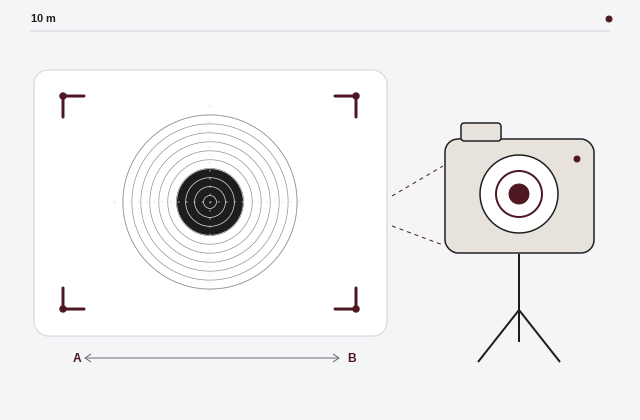
Look at the target image before adjusting thresholds. Check for blur, a moving stand, flickering light and a cropped calibration square. In laser mode, confirm that the tracked point follows the actual spot. In physical-impact mode, compare a separate new hole with the detector result. Calibration controls coordinates; it cannot repair unreadable image detail.
Change one relevant control and repeat the same small check. Keep a note of the original value so you can return to it. If several settings change together, even a better result leaves you unsure which change mattered.
The microphone does not create the expected event
Select the intended microphone and allow microphone permission in both the browser and operating system. Watch the practice level indicator while producing the expected sound under your normal conditions. If no level changes, investigate the selected input and permission first. If the level changes but registration does not match the event, inspect the sound threshold and rearm setting.
Unrelated loud sounds can register events too. Test for one event per intended shot and review any event that does not match. Do not correct a sound problem by moving calibrated target corners; the event gate and coordinate map serve separate purposes.
A session is missing from account history
Confirm the email address you used for that practice session. Device records are separated by verified account, and server history shows records after sync. Check the save indicator and any error on the original Practice tab. Reconnect from that browser and use the available sync or retry control.
If sign-in expired, sign back in with the same address before retrying. A queued request rejected for invalid data or another account problem may need review rather than repeated network retries. Keep the displayed error and the local export so the original record remains available.
Prepare a useful support message
- State the first failing step and include the exact error text.
- Give the browser, operating system and selected camera or microphone.
- Include registration mode, approximate session time and save status.
- Describe one check you performed and what changed.
- Send only the relevant screenshot or exported record you intend to share.
Contact support@10metre.com with those details. Never include a sign-in code. If you can reproduce the issue with a short check, describe that sequence; it is easier to investigate than a broad report that the target sometimes fails.
Recheck the camera mapping once device access is restored
Take it to your next session.
Put one idea into practice, then use your saved shots and notes to see what changed.